Open source · Local · No cloud
Wolffie puts you in charge of every watt your home produces, stores and uses — no subscriptions, no cloud, no compromises.
Your solar curve, your battery size, your daily routines — no two homes are alike. Wolffie learns your situation and optimises around it, not the other way around.
It runs entirely on your own hardware, speaks directly to your devices over Modbus, and makes decisions locally in real time. No internet required, no data leaving your home.
Whether you have solar panels, a home battery, a smart boiler or an EV charger — Wolffie connects the dots and helps you use every watt you generate.
"Your roof generates power. Your battery stores it. Your boiler holds it as heat. Wolffie decides what happens next — based on your priorities, not a vendor's."
Wolffie reads live data from your inverter, battery and grid meter every 30 seconds and adjusts its strategy continuously throughout the day.
Most people think of a home battery as their only storage. Wolffie sees your entire home as an energy reservoir — and orchestrates all of it together.
Modular by design — enable what fits your setup, leave the rest off.
Wolffie runs a continuous decision loop. Every 30 seconds it reads your solar output, battery level and grid prices — then decides the optimal action, automatically.
You don't need to be a software developer. If you have solar panels and want to get more from them, Wolffie is built for you.
Monitor solar, battery and grid in real time. The dashboard shows exactly what's happening and why Wolffie made each decision.
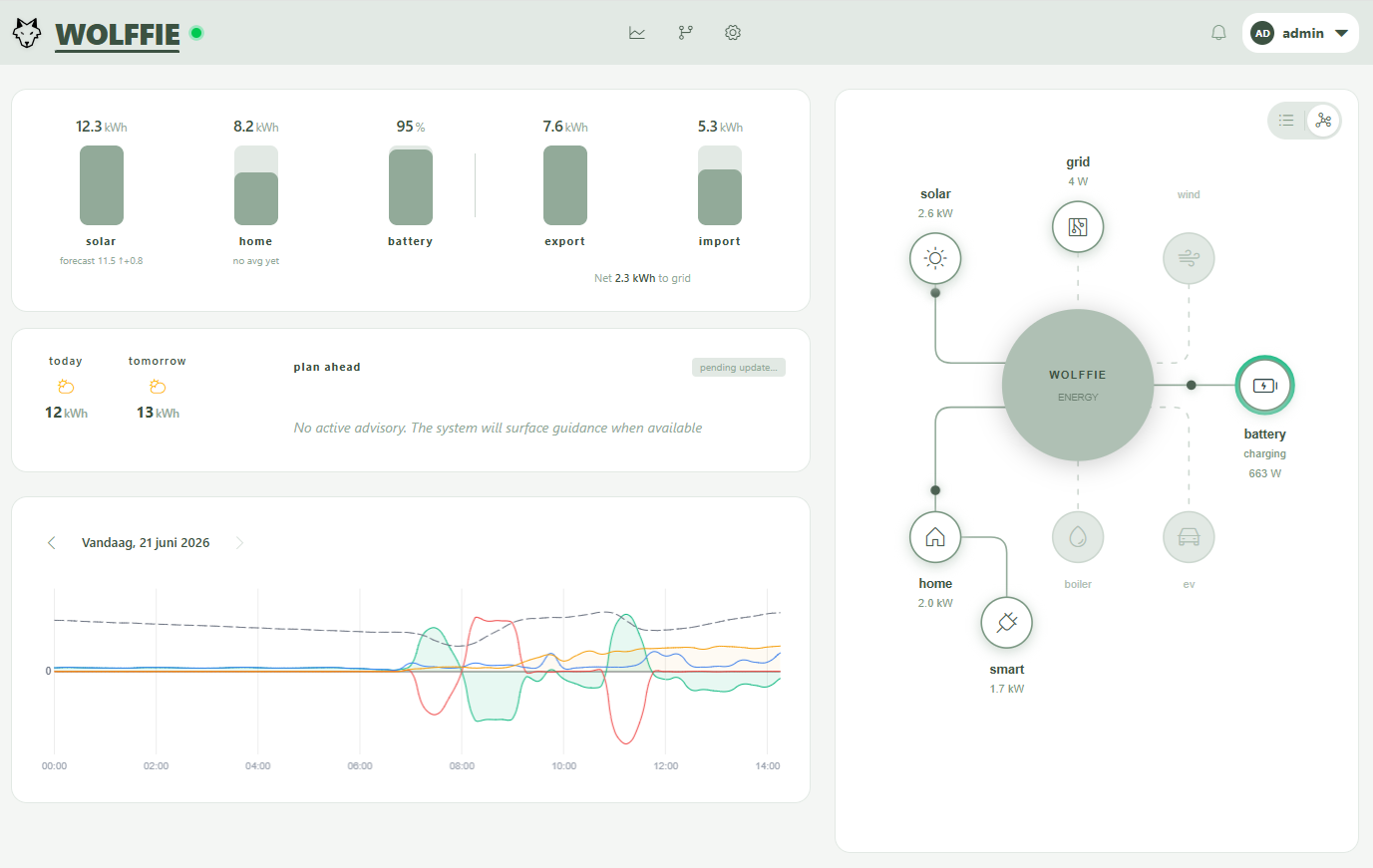
Dashboard
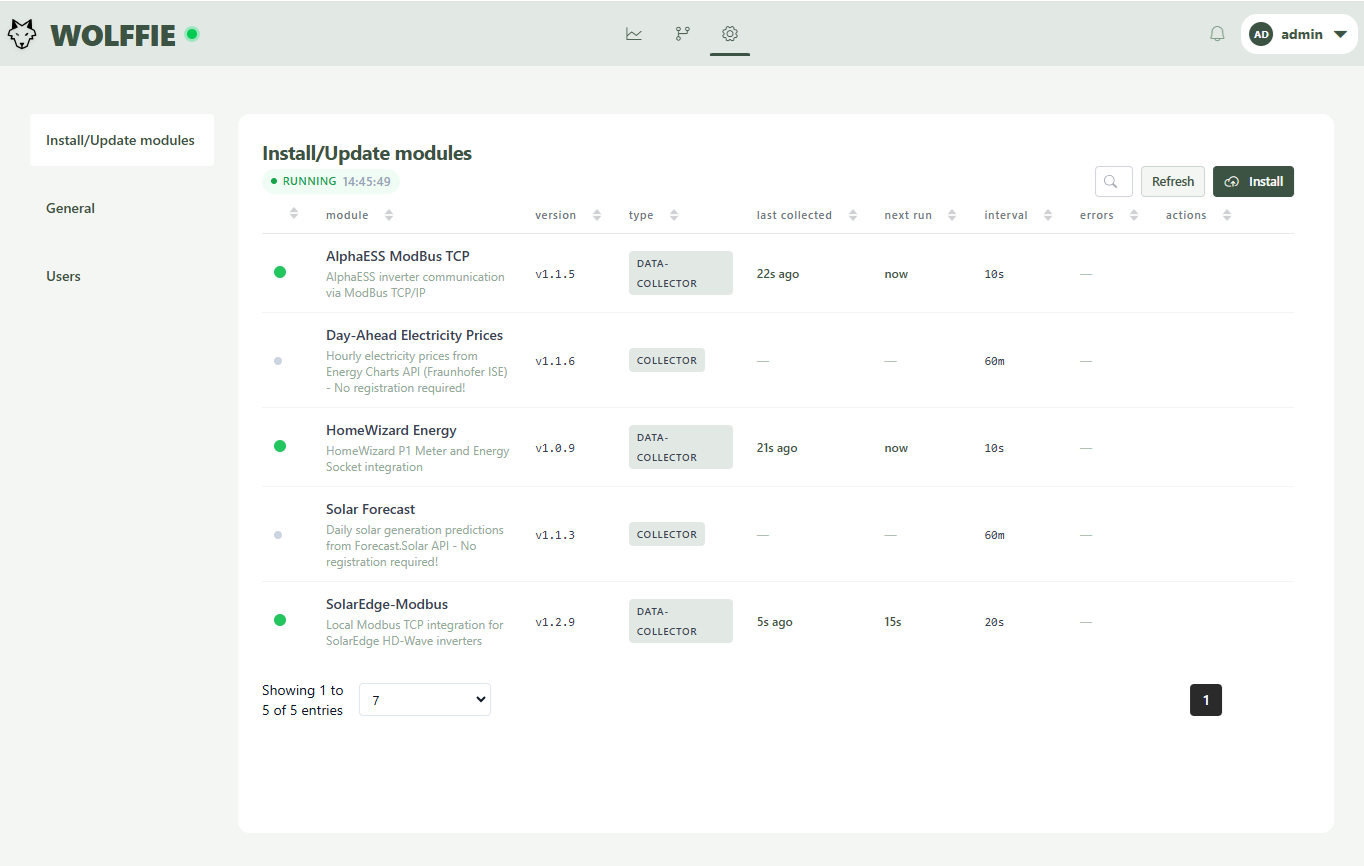
Modules
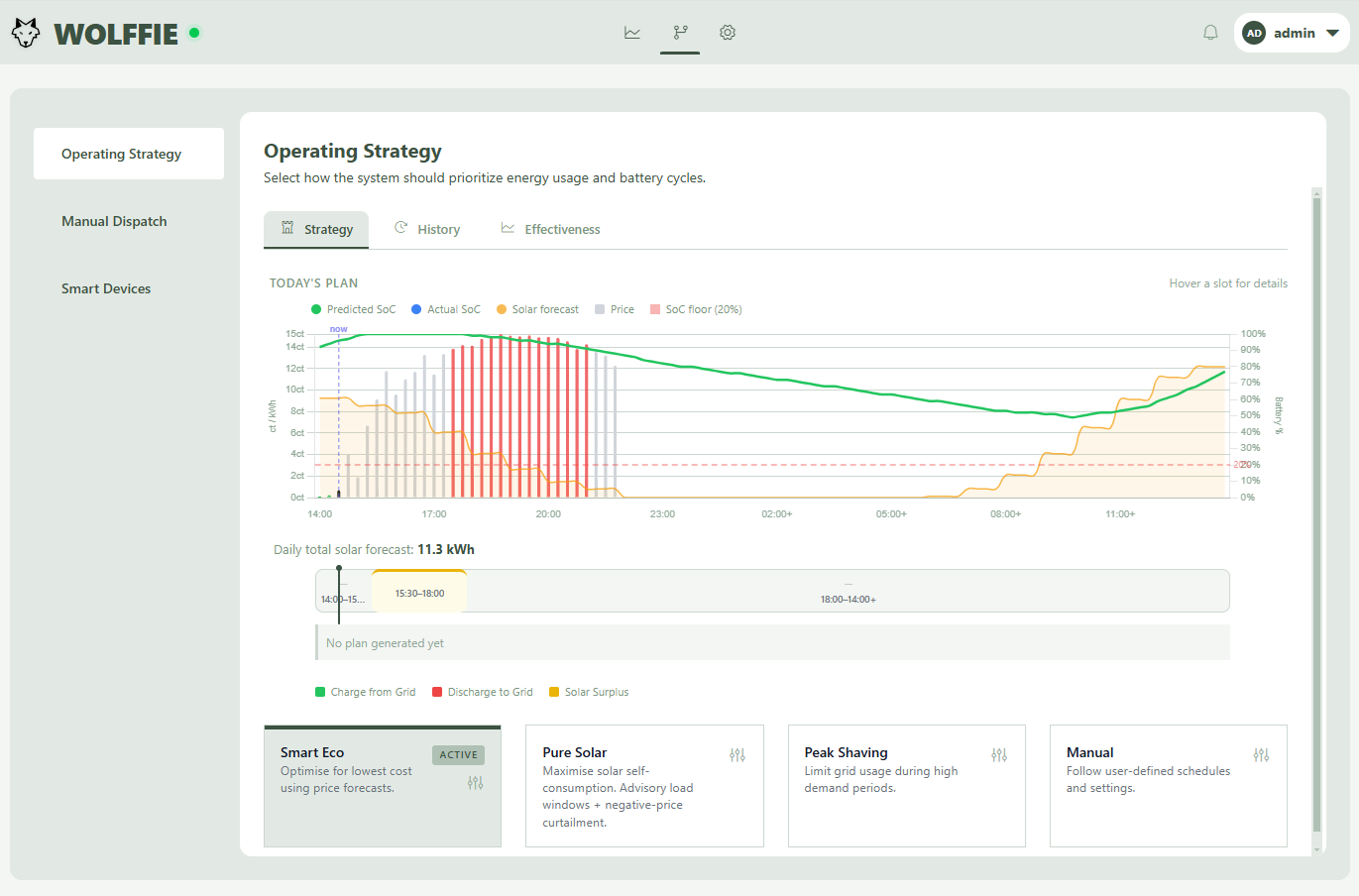
Strategy
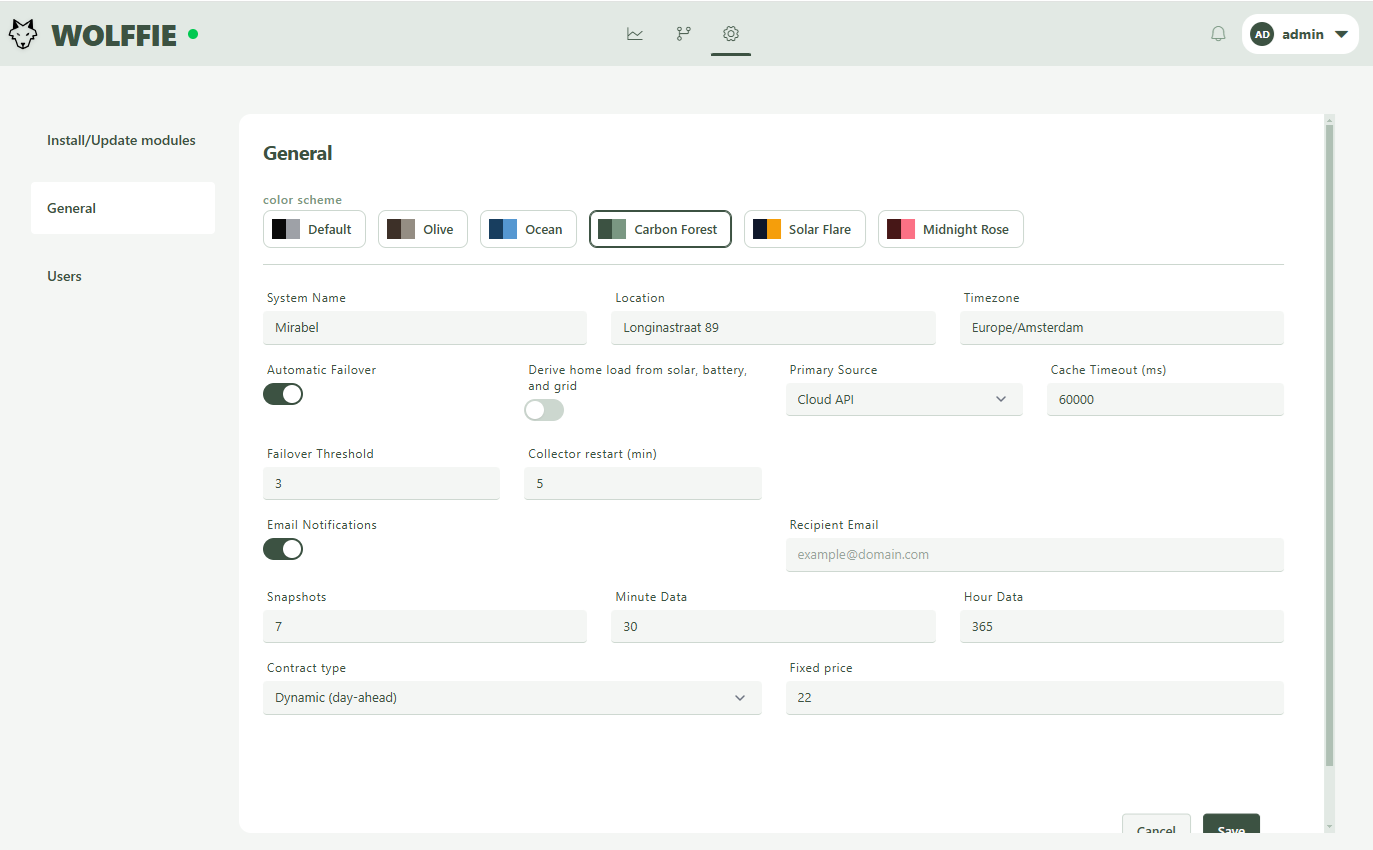
Settings
Runs on any Docker host — Synology NAS, Raspberry Pi or a spare PC. No cloud account needed, no data leaving your network.
Wolffie is free and open source. Read the code, open an issue, add a new device driver or give it a star if it helped you take control of your home energy.
Every feature in the dashboard is backed by a documented REST API. Authenticate with a JWT token, query live data, or send commands to your inverter — all from your own scripts, Home Assistant, or any tool that speaks HTTP.
Free, open source, and running on your own hardware in under 30 minutes.